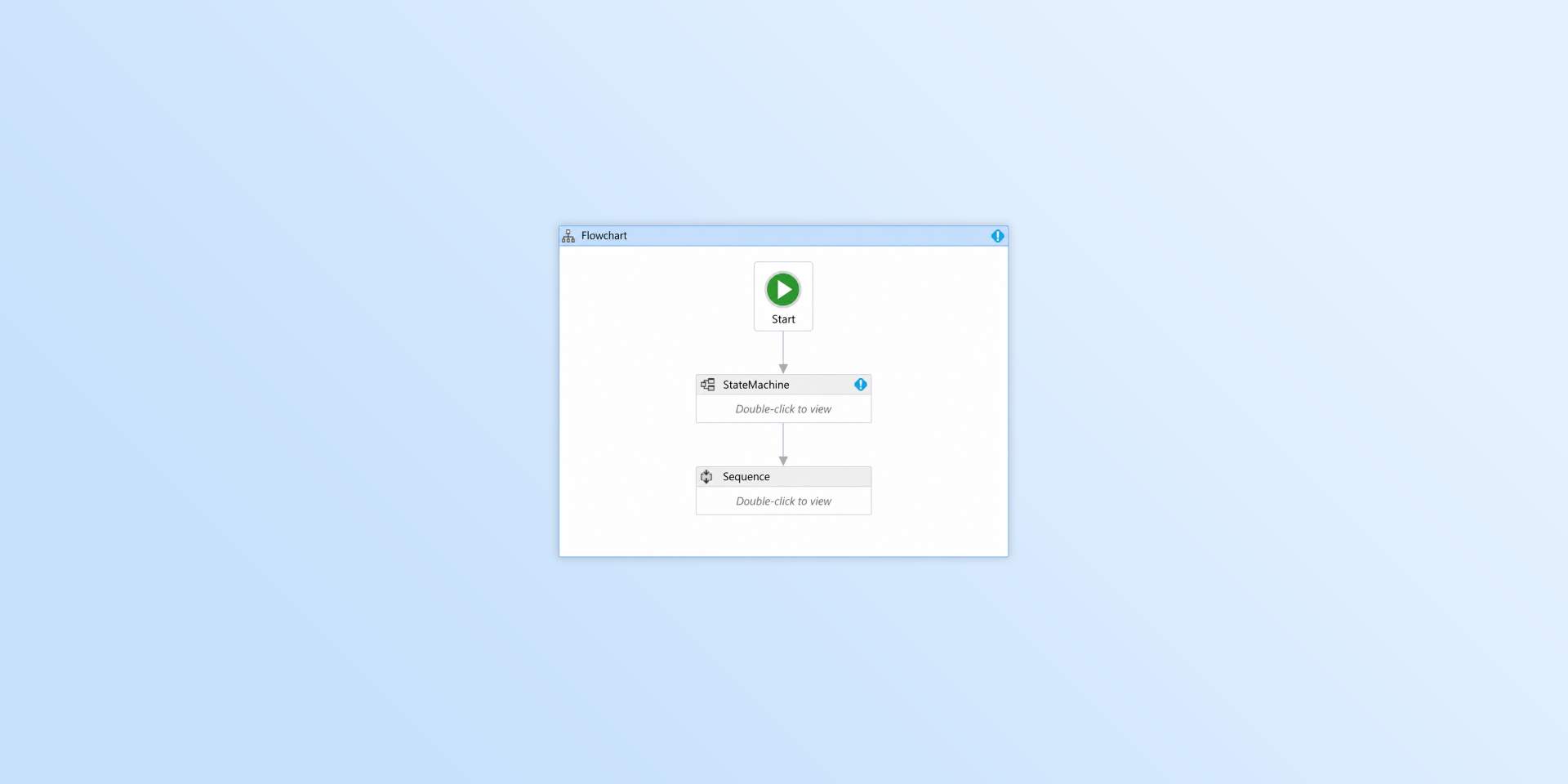
Windows Workflow Foundation was once one of the most powerful ways to build workflow-driven applications in the Microsoft ecosystem. It gave .NET developers a visual designer, a runtime, and a structured model for creating business processes that could be configured without hard-coding every rule.
For many years, WF was a practical foundation for building internal tools, low-code workflow designer experiences, and even no-code workflow builder platforms.
But the software landscape has changed.
Today, users expect workflow tools to run in the browser. They expect modern web interfaces, easy integration with existing applications, and increasingly, AI-assisted ways to create, modify, and understand business processes. Maintaining a workflow product that depends on desktop-only tooling is becoming harder to justify.
The question is no longer whether Windows Workflow Foundation was a good technology. It was. The real question is whether it still fits the way modern software is built, deployed, and used.
For teams planning Windows Workflow Foundation migration, a practical first step is not always a full rewrite. In many cases, the best starting point is replacing the old desktop workflow designer with a modern workflow designer that runs directly in the browser.
Why Teams Look for a Windows Workflow Foundation Alternative
Many WF-based products are still valuable. They often contain years of business logic, customer-specific processes, integrations, and domain knowledge. The problem is not always the backend. The problem is often the user experience around workflow design.
Classic Windows Workflow Foundation applications were built for a different era. Desktop tools were normal. Browser-based workflow designer interfaces were not the default expectation. Teams could accept complex local installations, Windows-only tooling, and designer experiences that were tightly connected to the .NET Framework ecosystem.
That is much harder today.
Modern users expect to open a browser, edit a workflow, save changes, collaborate with others, and continue working from anywhere. Modern developers expect embeddable components, JSON-based definitions, frontend framework support, and clean integration with existing systems.
This is why many teams are searching for a Workflow Foundation alternative. They do not necessarily want to throw away their entire platform. They want a realistic path for .NET workflow modernization.
A WF Replacement Does Not Have to Mean a Full Rewrite
When people talk about a WF replacement, they often imagine a huge migration project: rewrite the designer, rewrite the runtime, rewrite the backend, convert all workflow definitions, and replace every piece of existing business logic.
That approach is possible, but it is not always the best first step.
A more practical strategy is to separate the problem into layers:
- The workflow designer
- The workflow definition format
- The workflow runtime
- The business logic
- The backend services
- The user interface around workflow management
Once you separate these layers, Windows Workflow Foundation migration becomes easier to reason about.
Maybe you only need to replace the designer first. Maybe your C# backend still works. Maybe your business logic should stay where it is. Maybe your first goal is simply to give users a modern workflow designer in the browser instead of forcing them to use desktop tooling.
That is where Sequential Workflow Designer can be useful.
Sequential Workflow Designer as a Modern Workflow Designer
Sequential Workflow Designer is a browser-based workflow designer for building visual workflow editing experiences in modern web applications.
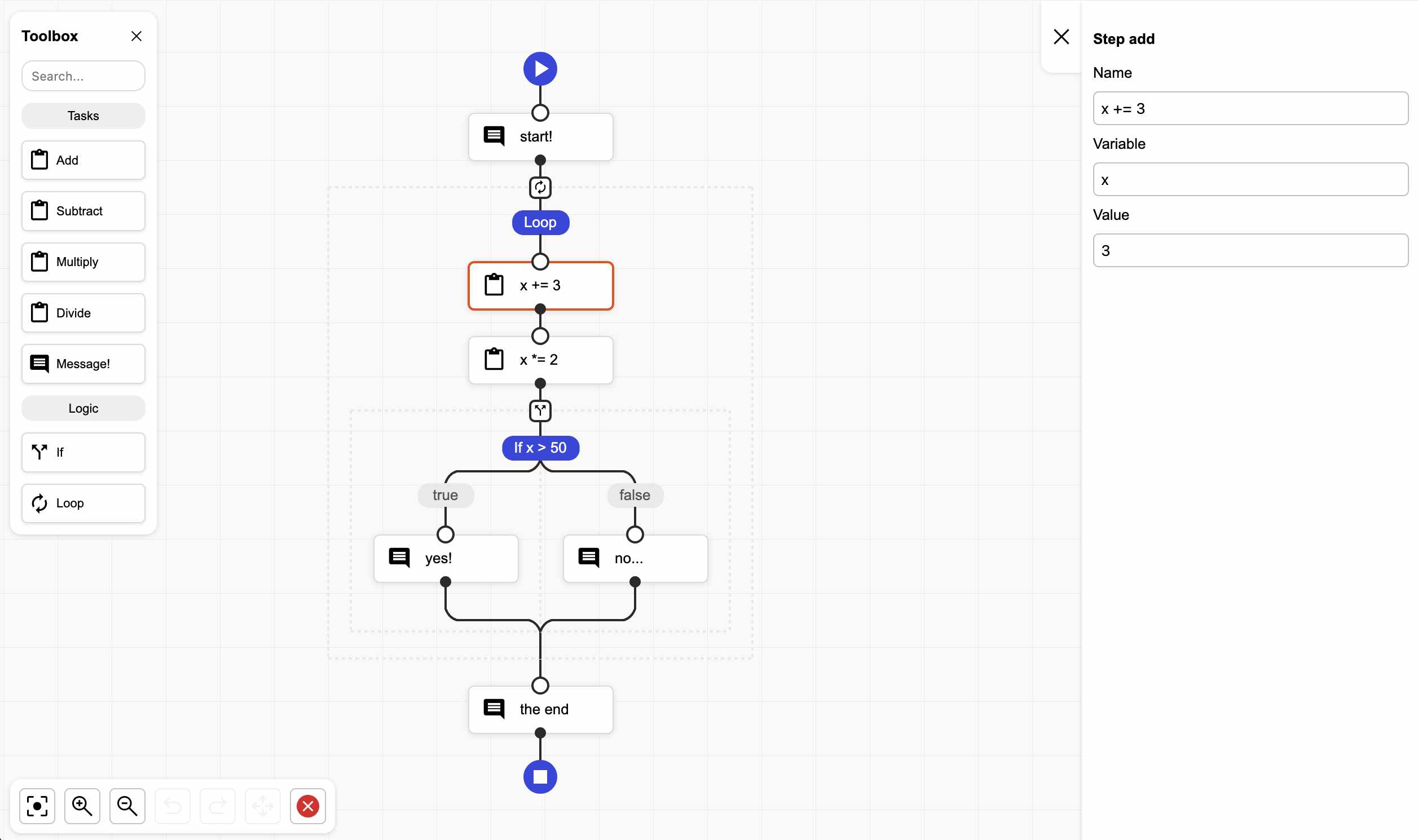
It can be used to create workflow builders, automation tools, low-code workflow designer interfaces, and no-code workflow builder experiences. Instead of depending on old desktop tooling, it allows teams to embed workflow design directly into a web application.
This is especially relevant for teams that are modernizing products built around Windows Workflow Foundation.
If your current WF-based application depends heavily on the visual designer experience, Sequential Workflow Designer gives you a way to move that part of the product into the browser. It does not require you to replace your whole backend on day one. It can become the new workflow UI while the rest of your system evolves step by step.
That makes it a practical Workflow Foundation alternative for teams that want modernization without unnecessary risk.
Replace Only the UI and Keep Your C# Backend
One of the most important migration ideas is this: you do not have to replace everything at once.
If your existing backend is written in C#, you can keep it. Sequential Workflow Designer can be used as the browser-based workflow designer while your backend continues to handle execution, validation, persistence, permissions, and business rules.
In this model, the workflow designer becomes a modern web UI. The workflow definition can be stored as JSON. Your existing backend can read that definition and map it to your current execution model or business services.
This approach is useful when the biggest problem is not the backend, but the old designer experience.
For example:
- You want to replace a desktop workflow editor with a browser-based workflow designer.
- You want users to edit workflows inside your web application.
- You want to modernize the UI without rewriting all business logic.
- You want a better foundation for future .NET workflow modernization.
- You want to move away from WF gradually instead of starting with a risky full rewrite.
This is often the most realistic path for existing enterprise applications.
Use It with React, Angular, Svelte, or TypeScript
Sequential Workflow Designer is not limited to one frontend framework. That matters because modern software teams use different stacks.
If your product is built with React, you can use Sequential Workflow Designer in a React application.
If your frontend is Angular, you can use it there as well.
If you use Svelte, plain TypeScript, or a custom frontend architecture, the same idea applies. The designer is intended to be embedded into modern web applications rather than locked to one specific platform.
This flexibility is important for teams searching for a Windows Workflow Foundation alternative. WF came from a tightly integrated .NET Framework desktop world. Modern applications are usually more distributed. The frontend may be React. The backend may be C#. Some services may be Node.js. Some systems may be cloud-native. Some business logic may still live in existing enterprise services.
A modern workflow designer should fit into that reality.
Where Sequential Workflow Machine Fits
Sequential Workflow Designer focuses on the visual workflow design experience. It is the part users interact with when they build or edit workflows.
If you also want a JavaScript or TypeScript workflow execution layer, Sequential Workflow Machine can be considered as the runtime counterpart.
This can be useful when:
- Your backend is moving to Node.js.
- You want to execute workflows in a JavaScript or TypeScript environment.
- You are building a new automation platform.
- You want the designer and runtime to live closer to the same technology stack.
- You are creating a no-code workflow builder from scratch.
However, it is important to be precise. Sequential Workflow Designer alone is not a complete drop-in WF replacement. Windows Workflow Foundation included much more than a designer. It also included a runtime model, persistence concepts, and deep integration with the .NET Framework ecosystem.
A better way to describe Sequential Workflow Designer is this: it can be a practical part of a WF replacement strategy, especially when the first migration goal is to modernize the workflow design experience.
Possible Migration Paths
Different teams need different levels of migration. A Windows Workflow Foundation migration does not have to look the same for every product.
| Situation | Practical path |
|---|---|
| You only need a modern workflow UI | Use Sequential Workflow Designer and keep your existing backend |
| You want browser-based workflow editing | Embed Sequential Workflow Designer into your web application |
| You want to keep C# business logic | Store workflow definitions from the designer and execute them server-side |
| You use React, Angular, Svelte, or TypeScript | Use Sequential Workflow Designer in your frontend stack |
| You are moving execution to Node.js | Evaluate Sequential Workflow Machine |
| You need a complete enterprise BPM platform | Consider whether a larger workflow platform is required |
The key point is that .NET workflow modernization can be incremental.
You can start by replacing the old workflow designer. Then you can decide whether the runtime should stay in C#, move to another .NET model, or eventually move toward JavaScript or TypeScript with Sequential Workflow Machine.
Recommended Approach for WF Modernization
If you are maintaining a WF-based product, start by understanding what Windows Workflow Foundation actually does in your system.
Ask these questions:
- Do users still use the visual designer?
- Is the biggest pain the desktop workflow editing experience?
- Is the runtime still working well enough?
- Is the C# business logic valuable and stable?
- Are workflows mostly configuration, orchestration, or long-running processes?
- Do you need a full runtime replacement now, or only a modern workflow designer?
- Could the workflow definition be represented as JSON?
- Could the browser UI be modernized before replacing the backend?
In many cases, the answer is clear: start with the UI.
Replacing the designer first gives users an immediate improvement. It also gives developers a cleaner path toward future modernization. Instead of trying to replace the whole WF-based system in one step, you can gradually move toward a more flexible architecture.
Why Browser-Based Workflow Design Matters
A browser-based workflow designer is not just a cosmetic upgrade. It changes how users interact with workflows.
Users no longer need a desktop designer. They no longer need a specific Windows environment just to edit a process. They can work inside the same web application where the rest of the product already lives.
This also opens the door for more modern product experiences:
- collaborative workflow editing
- workflow templates
- embedded validation
- AI-assisted workflow creation
- AI-assisted workflow explanation
- better integration with SaaS applications
- easier deployment
- better onboarding for business users
- no-code workflow builder experiences directly in the browser
This is one of the strongest reasons to consider a Workflow Foundation alternative. The goal is not only to remove old technology. The goal is to create a better workflow experience for users and a better architecture for developers.
Conclusion
Windows Workflow Foundation was a strong technology for its time. It helped many .NET teams build workflow-driven systems, low-code platforms, and configurable business applications.
But modern software has moved toward browser-based interfaces, cloud-connected systems, AI-assisted tools, and more flexible frontend and backend architectures. For many teams, continuing to depend on desktop-only workflow tooling is no longer the best path forward.
A Windows Workflow Foundation migration does not need to start with a full rewrite. A practical first step can be replacing the old designer with a modern workflow designer that runs in the browser.
Sequential Workflow Designer is a strong option for that first step. It can be embedded into modern web applications, used with different frontend stacks, and integrated with an existing C# backend. When a JavaScript or TypeScript runtime is needed, Sequential Workflow Machine can also be evaluated.
For teams looking for a Windows Workflow Foundation alternative, the most realistic strategy may be simple:
Modernize the workflow designer first. Keep what still works. Replace the rest only when it makes sense.